How to Set Up CryptoBot Payments in an Aiogram 3 Bot: Crypto Pay API with Code
Accepting cryptocurrency in a Telegram bot via CryptoBot (Crypto Pay API) on Aiogram 3: token, account creation, payment verification with a button, and a webhook with signature verification. Full code.
CryptoBot (@CryptoBot) is a popular crypto wallet within Telegram. Through its payment service, Crypto Pay, the bot can issue invoices in USDT, TON, BTC, and other cryptocurrencies: the buyer pays them directly in Telegram from their CryptoBot wallet, and the funds are credited to your app’s balance.
Below is a bot on Aiogram 3 that creates an invoice, verifies payment via a button, and receives instant payment notifications via a webhook.
How Payments Work with Crypto Pay
- The bot creates an invoice using the `createInvoice` method and receives a payment link.
- The user clicks the link and pays via @CryptoBot.
- The bot is notified of the payment in one of two ways: either the user clicks “I’ve paid” and the bot checks the invoice status (getInvoices), or CryptoBot sends a notification to your server (webhook) on its own.
- Once the invoice has a “paid” status, the bot dispatches the goods.
Step 1. Get a Crypto Pay token
- Open @CryptoBot → Crypto Pay → Create Application.
- Enter a name—the bot will generate the app’s API token.
- Store the token in the CRYPTO_PAY_TOKEN environment variable. Do not publish it: it can be used to manage your app’s accounts.
Step 2. Install aiogram
pip install -U aiogramaiohttp, which we’ll use to access the API, is installed along with aiogram.
Step 3. Crypto Pay Client
All requests to Crypto Pay are sent to https://pay.crypt.bot/api/<method> with a token in the Crypto-Pay-API-Token header. Save a small client to the file cryptopay.py:
import aiohttp

API_URL = "https://pay.crypt.bot/api"  # тестовая сеть: https://testnet-pay.crypt.bot/api


class CryptoPay:
    # Минимальный клиент Crypto Pay API (@CryptoBot)

    def __init__(self, token: str, api_url: str = API_URL) -> None:
        self.token = token
        self.api_url = api_url

    async def call(self, method: str, **params) -> dict:
        headers = {"Crypto-Pay-API-Token": self.token}
        async with aiohttp.ClientSession() as session:
            async with session.post(f"{self.api_url}/{method}", json=params, headers=headers) as resp:
                data = await resp.json()
        if not data.get("ok"):
            raise RuntimeError(f"Crypto Pay: {data.get('error')}")
        return data["result"]

    async def create_invoice(self, amount: str, asset: str, description: str, payload: str) -> dict:
        return await self.call(
            "createInvoice",
            asset=asset,          # монета: USDT, TON, BTC...
            amount=amount,        # сумма строкой, например "5" или "2.5"
            description=description,
            payload=payload,      # ваша метка заказа, вернётся вместе со счётом
            expires_in=3600,      # счёт действует 1 час
        )

    async def get_invoice(self, invoice_id: int) -> dict | None:
        result = await self.call("getInvoices", invoice_ids=str(invoice_id))
        items = result.get("items", [])
        return items[0] if items else None
Step 4. A bot with a payment option and a verification button
The bot.py file:
import asyncio
import os
from decimal import Decimal

from aiogram import Bot, Dispatcher, F, Router
from aiogram.filters import Command
from aiogram.types import CallbackQuery, InlineKeyboardButton, InlineKeyboardMarkup, Message

from cryptopay import CryptoPay

PRICE = Decimal("5")
ASSET = "USDT"

router = Router()
crypto = CryptoPay(os.environ["CRYPTO_PAY_TOKEN"])
delivered: set[int] = set()  # счета, по которым товар уже выдан (в реальном боте — база данных)


async def deliver(bot: Bot, invoice: dict) -> bool:
    # Выдаёт товар по оплаченному счёту. Вызывается и из кнопки, и из вебхука, поэтому выдача — строго один раз
    if invoice.get("status") != "paid" or invoice["invoice_id"] in delivered:
        return False
    if invoice.get("asset") != ASSET or Decimal(invoice["amount"]) != PRICE:
        return False
    delivered.add(invoice["invoice_id"])
    user_id = int(invoice["payload"])
    # Здесь выдайте товар: откройте доступ, отправьте файл, начислите баланс
    await bot.send_message(user_id, "Оплата получена! Доступ открыт ✅")
    return True


@router.message(Command("buy"))
async def buy(message: Message) -> None:
    invoice = await crypto.create_invoice(
        amount=str(PRICE), asset=ASSET,
        description="Доступ к курсу",
        payload=str(message.from_user.id),  # кому выдать товар после оплаты
    )
    keyboard = InlineKeyboardMarkup(inline_keyboard=[
        [InlineKeyboardButton(text=f"💳 Оплатить {PRICE} {ASSET}", url=invoice["bot_invoice_url"])],
        [InlineKeyboardButton(text="✅ Я оплатил", callback_data=f"check:{invoice['invoice_id']}")],
    ])
    await message.answer("Счёт на оплату действует 1 час:", reply_markup=keyboard)


@router.callback_query(F.data.startswith("check:"))
async def check(callback: CallbackQuery, bot: Bot) -> None:
    invoice_id = int(callback.data.split(":")[1])
    invoice = await crypto.get_invoice(invoice_id)
    # Счёт должен принадлежать тому, кто нажал кнопку
    if not invoice or invoice.get("payload") != str(callback.from_user.id):
        await callback.answer("Счёт не найден", show_alert=True)
        return
    if invoice["status"] == "expired":
        await callback.answer("Счёт просрочен. Создайте новый: /buy", show_alert=True)
        return
    if invoice["status"] != "paid":
        await callback.answer("Оплата пока не поступила", show_alert=True)
        return
    await deliver(bot, invoice)
    await callback.message.edit_text("Счёт оплачен ✅")
    await callback.answer()


async def main() -> None:
    bot = Bot(token=os.environ["BOT_TOKEN"])
    dp = Dispatcher()
    dp.include_router(router)
    await dp.start_polling(bot)


if __name__ == "__main__":
    asyncio.run(main())
Launch:
export BOT_TOKEN="токен_от_BotFather"
export CRYPTO_PAY_TOKEN="токен_Crypto_Pay"
python bot.py
Send /buy to the bot, pay the bill in @CryptoBot, and click “I’ve paid.”
Step 5. Instant Notifications via Webhook
The “I’ve paid” button always works, but the user might not click it. To have the bot automatically detect payments, enable the webhook: @CryptoBot → Crypto Pay → your app → Webhooks → enter an address in the format https://ваш-домен/webhooks/cryptobot. You’ll need a server with a domain and HTTPS.
CryptoBot signs every notification: the `crypto-pay-api-signature` header contains the HMAC-SHA256 of the request body, where the key is the SHA-256 hash of your token. Anyone can send a notification without a valid signature, so we reject such requests.
Add a webhook handler to `bot.py` and replace the `main` function—the web server for notifications will start along with the bot. Move the new imports to the top of the file:
import hashlib
import hmac
import json

from aiohttp import web

TOKEN = os.environ["CRYPTO_PAY_TOKEN"]


def check_signature(body: bytes, signature: str) -> bool:
    secret = hashlib.sha256(TOKEN.encode()).digest()  # ключ подписи — SHA-256 от токена
    expected = hmac.new(secret, body, hashlib.sha256).hexdigest()
    return hmac.compare_digest(expected, signature)


async def cryptobot_webhook(request: web.Request) -> web.Response:
    body = await request.read()
    if not check_signature(body, request.headers.get("crypto-pay-api-signature", "")):
        return web.Response(status=401)
    update = json.loads(body)
    if update.get("update_type") == "invoice_paid":
        await deliver(request.app["bot"], update["payload"])  # payload здесь — сам счёт
    return web.Response(text="ok")  # отвечаем 200, иначе CryptoBot повторит уведомление


async def main() -> None:
    bot = Bot(token=os.environ["BOT_TOKEN"])
    dp = Dispatcher()
    dp.include_router(router)

    app = web.Application()
    app["bot"] = bot
    app.router.add_post("/webhooks/cryptobot", cryptobot_webhook)
    runner = web.AppRunner(app)
    await runner.setup()
    await web.TCPSite(runner, "127.0.0.1", 8080).start()  # снаружи — через nginx с HTTPS

    try:
        await dp.start_polling(bot)
    finally:
        await runner.cleanup()
The web server only listens on 127.0.0.1:8080, while nginx (or Caddy) exposes it to the outside world using an HTTPS certificate—proxy the path /webhooks/cryptobot to this address. The `deliver` function is shared between the button and the webhook and will not deliver the item twice.
Payment with Prices in Rubles or Dollars
If prices in the bot are listed in fiat currency, create an invoice with `currency_type="fiat"`: CryptoBot will automatically convert the amount at the current exchange rate, and the user will select the currency for payment.
invoice = await crypto.call(
    "createInvoice",
    currency_type="fiat",
    fiat="RUB",
    amount="500",
    accepted_assets="USDT,TON",
    description="Доступ к курсу",
    payload=str(message.from_user.id),
)
In this invoice, check the "fiat" and "amount" fields—the amount should be in rubles, not in coins.
Security: What to Check Before Launch
- Token — only in environment variables or .env; never in the code or repository.
- "paid" status — the only indication of payment. Do not ship the goods just by clicking a button without verifying the status via the API.
- Amount and currency—verify against the order: this prevents anyone from submitting a paid invoice for a lower amount.
- Invoice ownership—the payload must match the buyer or their order number.
- One-time issuance — store processed `invoice_id`s in the database. The in-memory set from the example is cleared when the bot restarts.
- Webhook signature — Always verify it using hmac.compare_digest.
Common Errors
- UNAUTHORIZED — an invalid token or a test network token was sent to the production API endpoint (and vice versa).
- Amount as a number. Pass the amount as a string: "5", "2.5".
- Webhook is not received. The address must be accessible from the internet via HTTPS, and the server must return a 200 status code.
- One ClientSession per request. This is fine for a tutorial example, but under load, create a single session when the bot starts and close it when it stops.
Other payment methods include Telegram Stars and xRocket; a comparison of all options can be found in the article “How to Accept Payments in a Telegram Bot”.
FAQ
Is verification required to accept payments through CryptoBot?
To create an app in Crypto Pay, all you need is an account on @CryptoBot. Check the service itself for the latest requirements and limits—they are subject to change.
Which coins can I use to issue an invoice?
Those supported by CryptoBot: USDT, TON, BTC, ETH, and others. The getCurrencies method returns a list of available coins.
How can I test a payment for free?
Through the test network: the @CryptoTestnetBot and the address https://testnet-pay.crypt.bot/api. It uses its own tokens and test coins.
Can I do without a webhook?
Yes. The “I’ve paid” button is enough to trigger the transaction; the webhook is added so that the bot delivers the item immediately, even if the user forgets to click the button.
Where does the money go?
To your app’s balance in @CryptoBot. From there, you can withdraw it to your wallet.
Ready-made solutions
 BOT
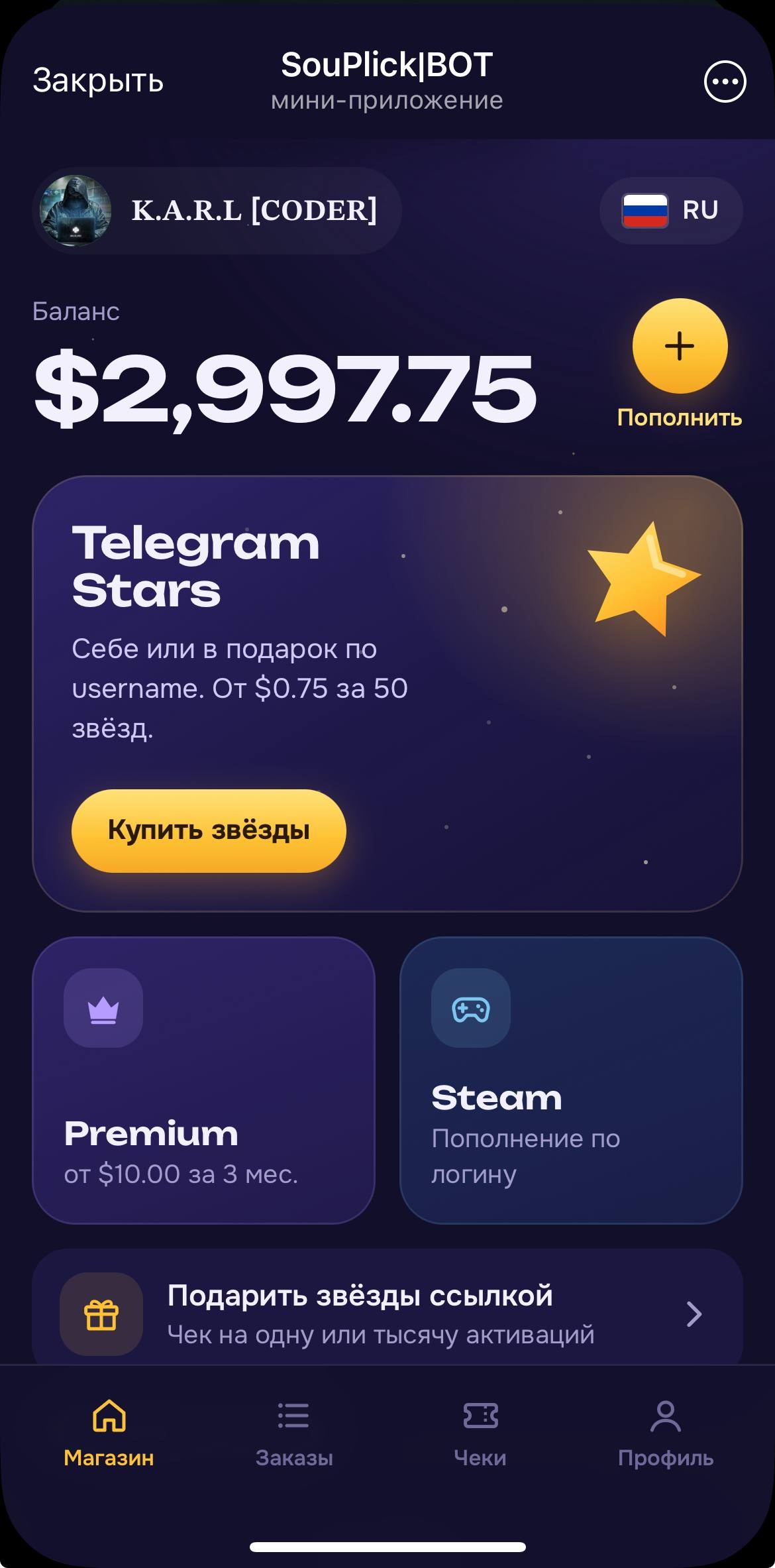
⭐️ Auto Buy Stars Web App
A bot for automatically purchasing Stars, Premium, or adding funds to Steam using Fragment. Installation is performed by the buyer.
 BOT
📲 AI Video Editing
A powerful AI video editing tool with 6 agents, compatible with Claude
 BOT
✍🏻 AI Auto-Commenting 2.0
New Version of AI Auto-Commenting with Multi-Account Support
 BOT